Robert Szeleney@robert.szeleney
Navigation app
Robert Szeleney VFRAssist 2.0
Revolutionary yet familiar flight planning and conducting - VFRAssist (Coming soon)
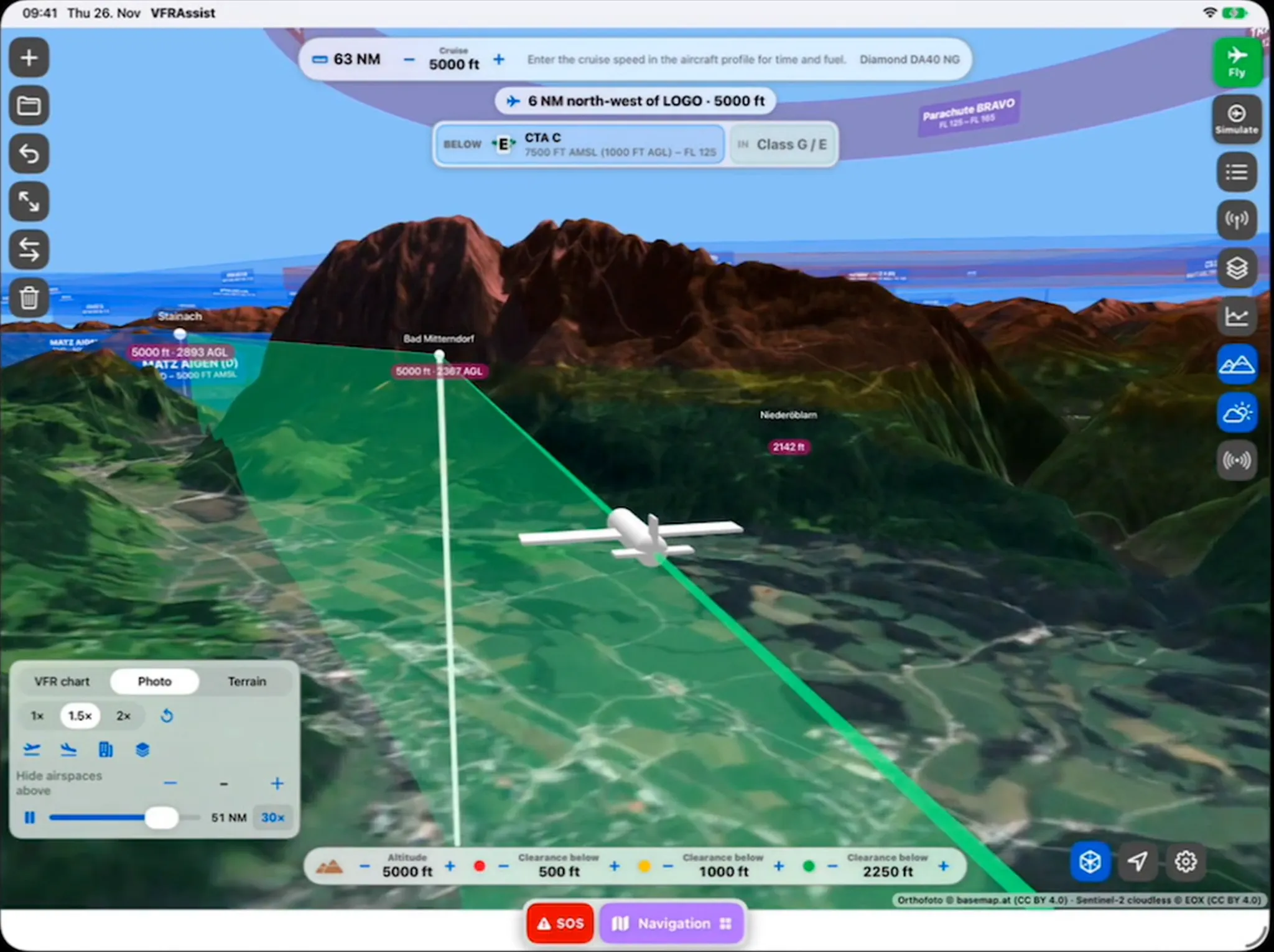
VFRAssist 2.0 is coming soon, and I'd love your input before it ships. The big new thing: you plan your route in 3D on photorealistic terrain, and the same view comes with you into the air. As far as I know, no other VFR app does this yet. Plan, tune, pre-flight, fly, supervise and debrief, all in one app for iPad and iPhone. As always: no account, no ads, no tracking, and tested on more than 300 of my own flights.
New in 3D
• Terrain in 3D, with photorealistic aerial imagery or the VFR chart on top • Your route as a 3D track with realistic standard-rate turns, coloured by terrain clearance: green at 1000 ft AGL and 200 m sideways or more, then yellow and red. Red marks show where terrain comes closer than 200 m to the side • Every airspace as a coloured 3D wall that is always visible, with name, class and limits. Hide the ones above an altitude you choose • 3D buildings along the route • Tap, insert and move waypoints right in 3D, sideways and in height, with altitude and AGL shown live • Flyover: fly and refine your route before you go, with your position and the current airspace. Set the playback speed, or jump straight to the departure or destination airfield • Switch between aerial imagery, VFR chart and terrainPlanning in 2D
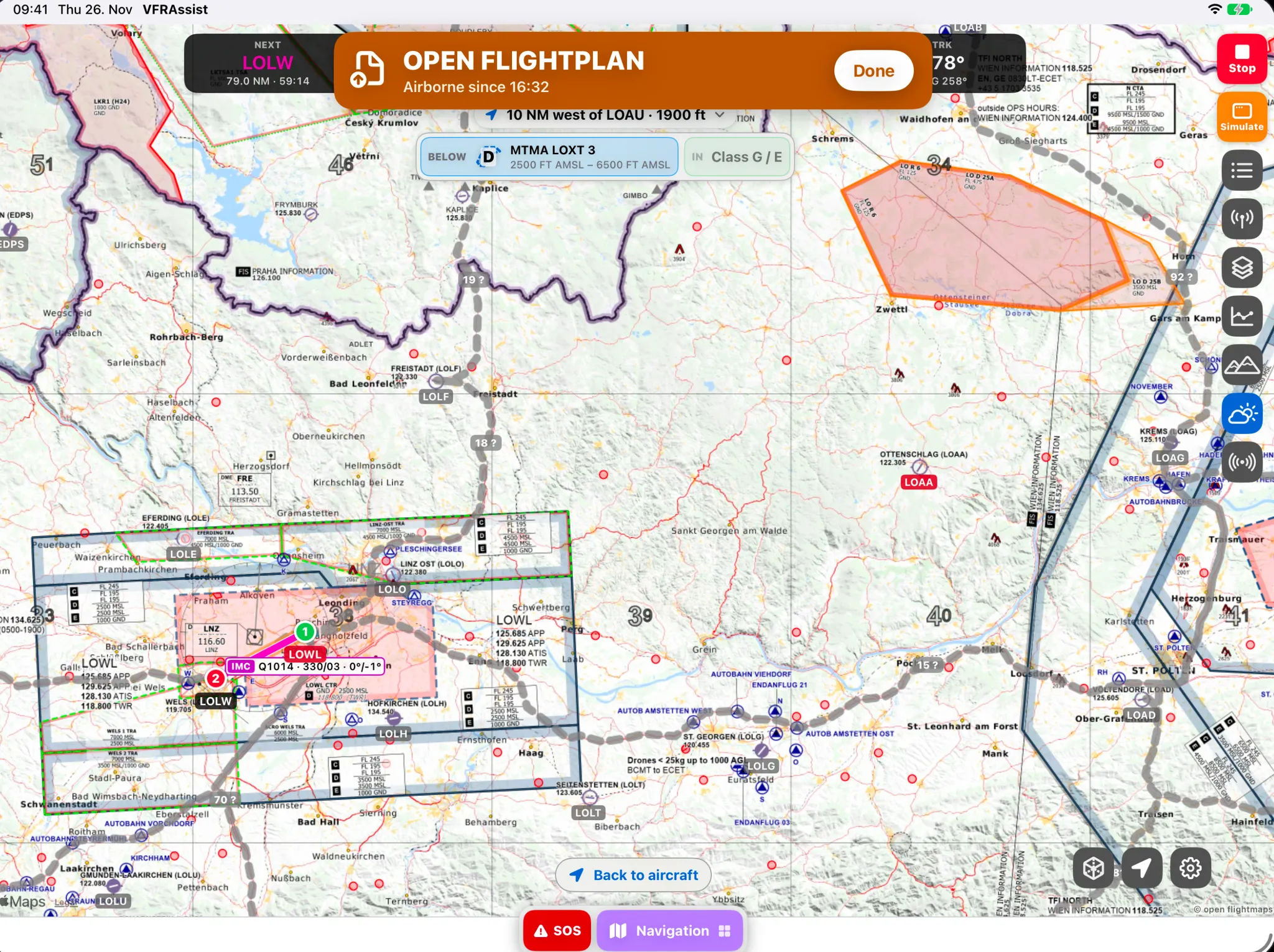
• open flightmaps VFR chart with airspaces, terrain clearance, nature reserves, reporting points, GAFOR routes, weather and traffic • Everything at one point, without a long press: airspace column, airfields, frequencies, reporting points • Airfields with frequencies, approach charts on the map, approach planning • Vertical profile with terrain and airspaces. One cruise altitude for the whole route, or your own altitude per waypoint • Weather route planner (ICON, ECMWF, AROME) that finds the best departure timeIn flight
• The 3D view is there in flight too, and warns you about the airspaces ahead, with sound • As before: terrain clearance, virtual PAPI, glide range, altitude alerts in the headset, frequencies, checklists, mass & balance, and Crew Sync between two devicesYour turn
This is where I need you: • What would you like to see in 2.0? Which regions or countries, which data, which views? • Want to test the beta? Leave a comment or send me a message. • Feedback on how it works and looks in the video is very welcome, small things included. The current version is in the App Store: apps.apple.com/at/app/vfrassist/id6754588944 More about 2.0: vfrassist.flyday.social ⚠️ VFRAssist is not a certified navigation system. Use official sources; the pilot in command makes the decisions. #VFRAssist #flightplanning #vfr #3D #iPad